Comparing the Best Student Laptop Deals for 2024
{ "article": [ { "title": "Comparing the Best Student Laptop Deals for 2024", "meta_description": "Find the perfect student laptop with our comparison of the best deals in 2024. Evaluate performance, price, and features for your academic needs.", "content": "Find the perfect student laptop with our comparison of the best deals in 2024. Evaluate performance, price, and features for your academic needs.\n\n
\n\n
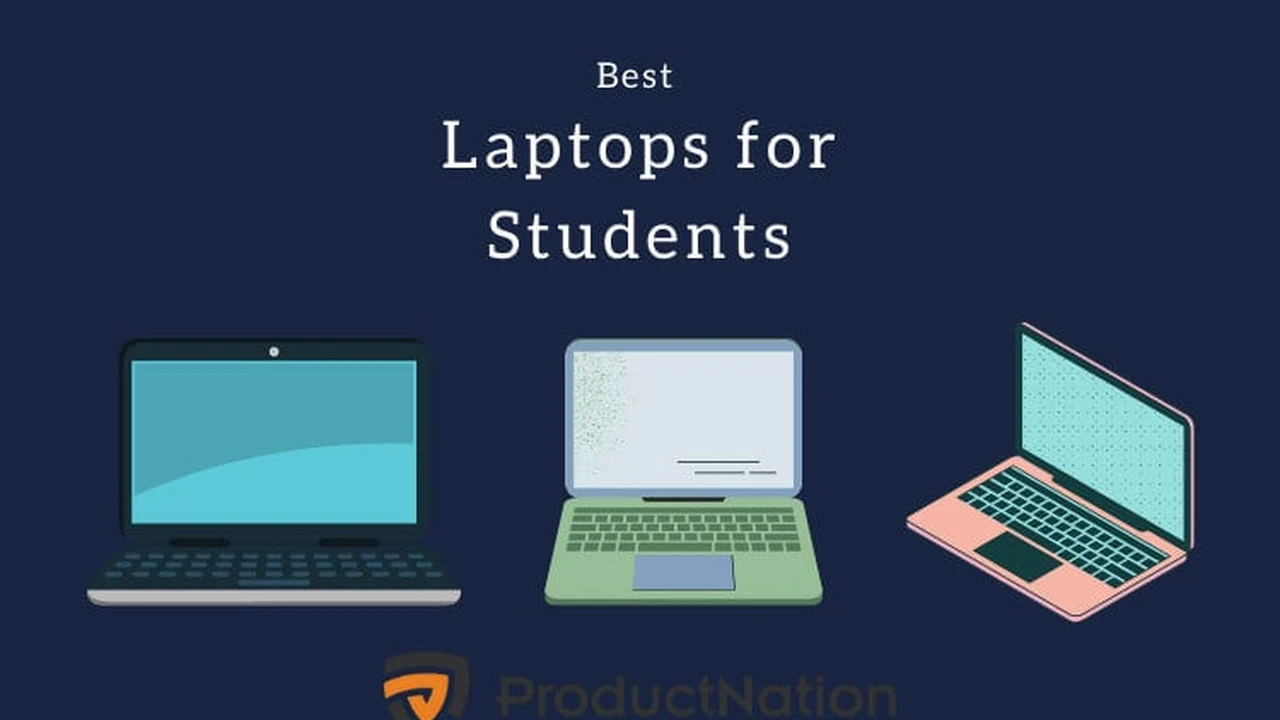
Welcome, future scholars and tech enthusiasts! The academic year is just around the corner, and for many of you, that means it's time to upgrade your tech arsenal. A reliable laptop isn't just a luxury; it's a necessity for note-taking, research, project collaboration, and even unwinding with some entertainment after a long day of classes. But with so many options flooding the market, how do you pick the one that's right for you without breaking the bank? This comprehensive guide dives deep into the best student laptop deals for 2024, offering detailed comparisons, real-world usage scenarios, and crucial buying advice to ensure you make an informed decision.
\n\nUnderstanding Your Academic Computing Needs What to Look For in a Student Laptop
\n\nBefore we jump into specific models, let's talk about what truly matters in a student laptop. Your ideal machine will depend heavily on your major, study habits, and even your preferred learning environment. Are you an engineering student needing powerful processing for CAD software? A humanities major primarily using word processors and web browsers? Or perhaps a design student requiring a vibrant display and dedicated graphics for creative suites? Consider these key factors:
\n\nPerformance and Processor Power CPU RAM and Storage for Students
\n\nThe heart of any laptop is its processor (CPU). For most students, an Intel Core i5 or AMD Ryzen 5 is a sweet spot, offering a great balance of performance and efficiency for everyday tasks. If you're into video editing, 3D rendering, or complex data analysis, stepping up to an Intel Core i7/i9 or AMD Ryzen 7/9 might be necessary. RAM (Random Access Memory) is crucial for multitasking; 8GB is the minimum for smooth operation, but 16GB is highly recommended for future-proofing and demanding applications. Storage-wise, an SSD (Solid State Drive) is non-negotiable. It's significantly faster and more durable than traditional HDDs. Aim for at least 256GB, but 512GB or more is ideal, especially if you store large files or many applications.
\n\nPortability and Battery Life Lightweight Laptops for Campus Life
\n\nYou'll be carrying your laptop around campus, from lectures to the library and coffee shops. Weight and form factor matter. Ultrabooks, typically under 3 pounds, are excellent for portability. Battery life is equally important; nobody wants to be constantly searching for an outlet. Look for laptops offering 8+ hours of real-world battery life to get you through a full day of classes and study sessions.
\n\nDisplay Quality and Screen Size Visuals for Learning and Entertainment
\n\nA good display can significantly enhance your learning experience. A Full HD (1920x1080) resolution is standard and perfectly adequate. Consider IPS panels for wider viewing angles and better color accuracy. Screen size is a personal preference, with 13-inch to 14-inch models offering a great balance of portability and screen real estate. If you do a lot of design work or prefer a larger workspace, 15-inch or even 16-inch options are available, though they sacrifice some portability.
\n\nKeyboard and Trackpad Ergonomics for Long Study Sessions
\n\nYou'll be typing a lot, so a comfortable, backlit keyboard is essential. Look for good key travel and a responsive trackpad. Some students might prefer a touchscreen or 2-in-1 convertible laptop for note-taking with a stylus, especially in fields like art or architecture.
\n\nConnectivity and Ports USB C HDMI and More for Students
\n\nEnsure the laptop has the ports you need. USB-A for older peripherals, USB-C (preferably Thunderbolt for faster data transfer and charging) for modern devices, HDMI for external monitors, and an SD card reader can all be useful. Wi-Fi 6 is becoming standard and offers faster, more reliable wireless connections.
\n\nOperating System Windows macOS or ChromeOS for Students
\n\nThe choice of operating system often comes down to personal preference and specific software requirements. Windows offers the widest software compatibility and a vast range of hardware options. macOS is known for its user-friendly interface, robust security, and excellent integration with Apple's ecosystem, though it comes at a premium. ChromeOS, found on Chromebooks, is lightweight, cloud-centric, and very affordable, ideal for basic tasks and web browsing.
\n\nTop Student Laptop Deals for 2024 Detailed Comparisons and Recommendations
\n\nNow, let's dive into some of the best student laptop deals available in 2024, categorized by their strengths and ideal users.
\n\nBest Overall Value The Dell XPS 13 Series for Academic Excellence
\n\nThe Dell XPS 13 has consistently been a top contender for years, and the 2024 models continue this tradition. It offers a premium build, stunning display, and excellent performance in a compact form factor. While not always the cheapest, Dell frequently offers student discounts and sales that make it a fantastic value.
\n\nDell XPS 13 (2024 Model) Specifications and Features
\n- Processor: Intel Core Ultra 5/7/9 (latest generation)
- RAM: 8GB, 16GB, or 32GB LPDDR5x
- Storage: 256GB, 512GB, 1TB, or 2TB PCIe Gen4 SSD
- Display: 13.4-inch FHD+ (1920x1200) non-touch, QHD+ (2560x1600) touch, or 3.5K OLED (3456x2160) touch
- Graphics: Integrated Intel Arc Graphics
- Battery Life: Up to 15 hours (FHD+ model)
- Weight: Starting at 2.59 lbs (1.17 kg)
- Ports: 2x Thunderbolt 4 (USB-C) with DisplayPort and Power Delivery
- Estimated Price Range: $899 - $1,899 (depending on configuration and sales)
Usage Scenarios and Target Audience for Dell XPS 13
\nThe XPS 13 is perfect for students across various disciplines, especially those in business, humanities, or general studies who need a reliable, portable, and aesthetically pleasing laptop. Its excellent keyboard makes it ideal for extensive writing, and the vibrant display is great for presentations and media consumption. While it can handle some light photo editing, it's not designed for heavy graphics work or gaming. Its long battery life makes it a superb companion for long days on campus without needing to carry a charger.
\n\nComparison with Competitors Dell XPS 13 vs MacBook Air M3
\nThe XPS 13 often goes head-to-head with the MacBook Air M3. The MacBook Air offers superior battery life and raw performance for its price point, especially for video editing and creative tasks, thanks to Apple's M3 chip. However, the XPS 13 provides more port versatility (though still limited) and a wider range of display options, including touchscreens and OLED. For Windows users who value a premium build and compact design, the XPS 13 is a strong alternative.
\n\nBest for Apple Ecosystem Users The MacBook Air M3 for Students
\n\nIf you're already invested in the Apple ecosystem with an iPhone or iPad, the MacBook Air M3 is an almost irresistible choice. Its M3 chip delivers incredible performance and efficiency, leading to phenomenal battery life and silent, fanless operation. Apple also offers student discounts through its education store.
\n\nMacBook Air M3 (13-inch and 15-inch) Key Specifications
\n- Processor: Apple M3 chip (8-core CPU, 8-core or 10-core GPU)
- RAM: 8GB, 16GB, or 24GB unified memory
- Storage: 256GB, 512GB, 1TB, or 2TB SSD
- Display: 13.6-inch or 15.3-inch Liquid Retina display (2560x1664 or 2880x1864)
- Graphics: Integrated Apple M3 GPU
- Battery Life: Up to 18 hours
- Weight: 2.7 lbs (1.24 kg) for 13-inch, 3.3 lbs (1.51 kg) for 15-inch
- Ports: 2x Thunderbolt / USB 4 ports, MagSafe 3 charging port, 3.5mm headphone jack
- Estimated Price Range: $999 - $1,699 (depending on configuration and size)
Ideal Student Profiles for MacBook Air M3
\nThe MacBook Air M3 is ideal for students in creative fields (graphic design, video editing, music production), computer science (for coding and development), or anyone who values long battery life, a premium user experience, and seamless integration with other Apple devices. Its performance is more than sufficient for demanding academic software, and its fanless design means no distracting noise during quiet study sessions.
\n\nMacBook Air M3 vs Windows Ultrabooks Performance and Ecosystem
\nCompared to Windows ultrabooks, the MacBook Air M3 often offers better performance per watt, meaning more power with less heat and longer battery life. The macOS ecosystem is also a significant draw for many, providing a cohesive and intuitive experience. However, some specialized software might only be available on Windows, so always check compatibility for your specific major.
\n\nBest Budget-Friendly Option The Acer Aspire 5 for Value Seekers
\n\nFor students on a tight budget who still need a capable Windows laptop, the Acer Aspire 5 series consistently delivers excellent value. While it might not have the premium build of an XPS or MacBook, it offers solid performance for everyday academic tasks.
\n\nAcer Aspire 5 (2024 Refresh) Specifications and Features
\n- Processor: Intel Core i5/i7 (13th/14th Gen) or AMD Ryzen 5/7 (7000 series)
- RAM: 8GB or 16GB DDR4 (often upgradeable)
- Storage: 256GB, 512GB, or 1TB PCIe Gen3/Gen4 SSD
- Display: 15.6-inch FHD (1920x1080) IPS
- Graphics: Integrated Intel Iris Xe or AMD Radeon Graphics (some models with NVIDIA GeForce RTX 2050/3050)
- Battery Life: Up to 7-9 hours
- Weight: Around 3.88 lbs (1.76 kg)
- Ports: 1x USB-C (with DisplayPort), 2-3x USB-A, 1x HDMI, Ethernet, 3.5mm audio jack
- Estimated Price Range: $499 - $799 (depending on configuration and sales)
Who Should Consider the Acer Aspire 5 Budget Conscious Students
\nThe Acer Aspire 5 is perfect for students who need a functional laptop for general academic use, such as writing papers, browsing the web, online classes, and light media consumption. It's also a good choice if you need a larger screen without a significant price jump. The option for dedicated graphics in some configurations makes it suitable for light gaming or basic photo editing, which is rare at this price point.
\n\nAcer Aspire 5 vs Other Budget Laptops Performance vs Price
\nCompared to other budget laptops, the Aspire 5 often stands out for its upgradeable RAM and storage, which can extend its lifespan. While its battery life isn't as stellar as premium ultrabooks, it's generally sufficient for a few hours of unplugged use. It offers a good balance of performance and features for its price, making it a strong contender in the sub-$800 category.
\n\nBest 2-in-1 Convertible The Microsoft Surface Laptop Studio 2 for Versatility
\n\nFor students who need the flexibility of a tablet for note-taking and sketching, combined with the power of a traditional laptop, a 2-in-1 convertible is an excellent choice. The Microsoft Surface Laptop Studio 2 is a premium option that excels in this category.
\n\nMicrosoft Surface Laptop Studio 2 Specifications and Features
\n- Processor: Intel Core i7 (13th Gen H-series)
- RAM: 16GB, 32GB, or 64GB LPDDR5x
- Storage: 512GB, 1TB, or 2TB Gen 4 SSD
- Display: 14.4-inch PixelSense Flow Display (2400x1600) with 120Hz refresh rate, touch, and pen support
- Graphics: NVIDIA GeForce RTX 4050 or RTX 4060 Laptop GPU (or Intel Iris Xe on base model)
- Battery Life: Up to 18 hours
- Weight: Starting at 4.18 lbs (1.89 kg)
- Ports: 2x USB-C with Thunderbolt 4, USB-A, 3.5mm headphone jack, microSDXC card reader, Surface Connect
- Estimated Price Range: $1,999 - $3,699 (depending on configuration and sales)
Ideal Users for Surface Laptop Studio 2 Creative and Engineering Students
\nThis laptop is a dream for art, design, architecture, and engineering students who benefit from pen input for sketching, CAD work, or detailed note-taking. Its powerful dedicated graphics also make it suitable for video editing, 3D rendering, and even some serious gaming. The unique hinge design allows it to transform into a canvas mode, perfect for creative work.
\n\nSurface Laptop Studio 2 vs Other 2-in-1s Premium Features and Performance
\nWhile there are more affordable 2-in-1s, the Surface Laptop Studio 2 stands out with its high-refresh-rate display, powerful dedicated graphics options, and premium build quality. It's a significant investment, but for students whose academic success relies on creative tools and powerful hardware, it's a worthwhile one. Cheaper alternatives like the HP Envy x360 or Lenovo Yoga series offer similar versatility at a lower price point, though with less raw power.
\n\nBest for Gaming and Engineering The ASUS ROG Zephyrus G14 for Power Users
\n\nFor students in engineering, computer science, or those who enjoy gaming in their downtime, a dedicated gaming laptop can pull double duty. The ASUS ROG Zephyrus G14 is a fantastic choice, offering powerful components in a relatively portable chassis.
\n\nASUS ROG Zephyrus G14 (2024 Model) Specifications and Features
\n- Processor: AMD Ryzen 9 (8000 series)
- RAM: 16GB or 32GB LPDDR5X
- Storage: 512GB or 1TB PCIe Gen4 SSD
- Display: 14-inch ROG Nebula Display (2880x1800) OLED with 120Hz refresh rate
- Graphics: NVIDIA GeForce RTX 4060, RTX 4070, or RTX 4080 Laptop GPU
- Battery Life: Up to 10-12 hours (for light tasks)
- Weight: Starting at 3.31 lbs (1.5 kg)
- Ports: 1x USB-C (USB 4), 1x USB-C (USB 3.2 Gen 2), 2x USB-A, HDMI 2.1, 3.5mm audio jack, microSD card reader
- Estimated Price Range: $1,599 - $2,499 (depending on configuration and sales)
Who Needs a Gaming Laptop for School Engineering and CS Students
\nThis laptop is ideal for students who run demanding software like MATLAB, SolidWorks, AutoCAD, or need to compile large codebases. Its powerful CPU and dedicated GPU also make it excellent for gaming, providing a great way to relax after intense study sessions. Despite its power, the Zephyrus G14 is surprisingly portable for a gaming laptop, making it suitable for carrying to classes.
\n\nASUS ROG Zephyrus G14 vs Traditional Laptops Performance and Thermals
\nCompared to traditional ultrabooks, the Zephyrus G14 offers significantly more processing and graphics power. However, this comes with trade-offs: while battery life is decent for light tasks, it will drain quickly under heavy load (like gaming or rendering). It also generates more heat and fan noise under stress. For students who genuinely need this level of performance, the trade-offs are often worth it.
\n\nFinding the Best Deals and Discounts for Student Laptops
\n\nScoring a great deal on a laptop requires a bit of strategy. Here's how to maximize your savings:
\n\nStudent Discount Programs How to Save on Laptops
\n\nMany manufacturers (Dell, Apple, Microsoft, HP, Lenovo) and retailers (Best Buy, Amazon, B&H Photo) offer specific student discount programs. You'll often need to verify your student status through services like UNiDAYS or by using your .edu email address. These discounts can range from 5% to 15% off, sometimes more during special promotions.
\n\nBack to School Sales and Seasonal Promotions Timing Your Purchase
\n\nThe period leading up to and immediately after the start of the academic year (July to September in the US, and similar periods in Southeast Asia depending on academic calendars) is prime time for back-to-school sales. Black Friday, Cyber Monday, and Amazon Prime Day also offer significant discounts. Keep an eye out for these seasonal promotions.
\n\nRefurbished Laptops and Open Box Deals Smart Shopping for Students
\n\nDon't shy away from refurbished or open-box laptops from reputable retailers. These are often returned items that have been inspected, repaired (if necessary), and certified by the manufacturer or seller. They come with warranties and can offer substantial savings. Check manufacturer's official refurbished stores (e.g., Dell Outlet, Apple Refurbished) or trusted retailers like Best Buy's Open Box section.
\n\nComparing Retailers and Price Matching Get the Best Price
\n\nAlways compare prices across multiple retailers before making a purchase. Use price comparison websites. Many retailers offer price matching, so if you find a better deal elsewhere, they might match it, saving you the hassle of ordering from a different store.
\n\nEssential Accessories for Your New Student Laptop
\n\nOnce you've picked your laptop, consider these accessories to enhance your academic life:
\n\nLaptop Sleeve or Backpack Protection for Your Device
\n\nA good quality sleeve or a padded backpack compartment is crucial for protecting your laptop from bumps and scratches as you move around campus.
\n\nExternal Monitor Boost Your Productivity
\n\nFor dorm room setups, an external monitor can significantly boost productivity, allowing for more screen real estate for multitasking. Look for affordable 24-inch or 27-inch FHD or QHD monitors.
\n\nPortable SSD or External Hard Drive Backup Your Work
\n\nCloud storage is great, but a physical backup is always a good idea. A portable SSD offers fast transfers, while an external HDD provides more storage for less money.
\n\nWireless Mouse and Keyboard Ergonomics and Comfort
\n\nFor long study sessions, an ergonomic wireless mouse and keyboard can provide much more comfort than relying solely on the laptop's built-in peripherals.
\n\nUSB-C Hub or Dongle Expand Your Connectivity
\n\nMany modern ultrabooks have limited ports. A USB-C hub can expand your connectivity, adding USB-A, HDMI, Ethernet, and SD card slots.
\n\nNoise Cancelling Headphones Focus in Busy Environments
\n\nEssential for studying in noisy dorms, libraries, or coffee shops. They help you focus and block out distractions.
\n\nMaintaining Your Student Laptop Tips for Longevity and Performance
\n\nA laptop is an investment. Here's how to keep it running smoothly throughout your academic career:
\n\nRegular Software Updates Keep Your System Secure
\n\nAlways install operating system and driver updates. They often include performance improvements, bug fixes, and crucial security patches.
\n\nAntivirus Software and Cybersecurity Stay Safe Online
\n\nEven with built-in Windows Defender or macOS Gatekeeper, consider a reputable antivirus solution for added protection against malware and phishing attempts.
\n\nPhysical Cleaning Dust and Debris Management
\n\nRegularly clean your laptop's screen, keyboard, and vents. Dust buildup can lead to overheating and reduced performance. Use compressed air for vents and a microfiber cloth for the screen.
\n\nBattery Health Optimization Extend Your Battery Life
\n\nAvoid constantly keeping your laptop plugged in at 100%. Many laptops have features to optimize battery charging, like limiting it to 80% when plugged in for extended periods. Avoid extreme temperatures.
\n\nData Backup Strategies Protect Your Academic Work
\n\nImplement a regular backup strategy. Use cloud services (Google Drive, OneDrive, Dropbox) and/or external drives to ensure your important assignments and research are never lost.
\n\nFuture-Proofing Your Laptop Investment Considerations for Long Term Use
\n\nWhile it's hard to predict future tech, some choices can extend your laptop's useful life:
\n\nUpgradeable RAM and Storage DIY Upgrades
\n\nSome laptops (especially budget and mid-range Windows models) allow you to upgrade RAM and storage later. This can significantly extend their lifespan and performance without buying a new machine.
\n\nProcessor Generation and Performance Longevity
\n\nOpting for a newer generation processor (e.g., Intel 13th/14th Gen, AMD Ryzen 7000/8000 series, Apple M3) will ensure your laptop remains capable for more years to come, even as software demands increase.
\n\nBuild Quality and Durability Investing in Robustness
\n\nLaptops with metal chassis (aluminum, magnesium alloy) tend to be more durable than plastic ones. While they might cost more upfront, they can withstand the rigors of student life better.
\n\nChoosing the right student laptop in 2024 involves balancing performance, portability, features, and budget. By understanding your specific needs and leveraging student discounts and sales, you can find a powerful and reliable machine that will serve you well throughout your academic journey and beyond. Happy studying!
" } ] }:max_bytes(150000):strip_icc()/277019-baked-pork-chops-with-cream-of-mushroom-soup-DDMFS-beauty-4x3-BG-7505-5762b731cf30447d9cbbbbbf387beafa.jpg)